Most business owners dream of growth, but not everyone understands what it means to scale.
Growth means adding revenue and adding resources.
Scaling means increasing revenue without a matching increase in costs.
That’s where Virtual Assistants (VAs) come in.
Hiring full-time employees may work for large corporations, but for startups and small businesses, it often leads to bloated costs and slow operations.
Whether you’re managing a busy e-commerce brand, running a consultancy, or launching your coaching business, a VA can help you do more with less, freeing up your time so you can focus on strategic growth.
Why Scaling Matters for Small Businesses
Small businesses often hit a ceiling, not because they lack ideas, but because they run out of time, energy, or manpower.
Here’s why scaling is essential:
- Increased Capacity: You can serve more clients, launch more campaigns, or develop new products without burning out.
- Better Profit Margins: When you scale operations without increasing headcount, your profit margins grow.
- Faster Adaptability: With lean, scalable support like VAs, you can pivot faster and stay competitive.
- Avoid Founder Burnout: Delegating day-to-day tasks helps prevent mental exhaustion, which kills momentum.
Common barriers to scaling include:
- Lack of systems or SOPs
- Micromanagement
- High cost of local hires
- Fear of delegation
How VAs Enable Cost-Effective Scaling
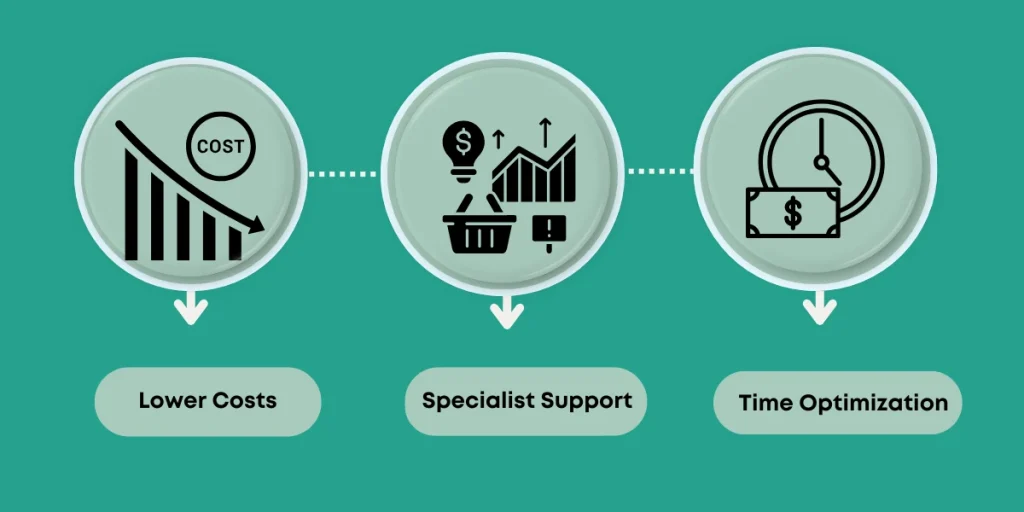
1. Lower Costs: You pay only for the hours or tasks needed, no insurance, no office rent, no downtime.
2. On-Demand Expertise: Need someone to handle your inbox, CRM, or social media? You can bring on task-specific experts without a lengthy recruitment cycle.
3. Immediate Time Savings: Most business owners spend 30–50% of their time on repetitive tasks. A VA takes that off your plate immediately.
Process & SOP Building – The Foundation of Smart Scaling
Scaling isn’t just about getting help, it’s about building systems that anyone can follow.
That’s where SOPs (Standard Operating Procedures) come in.
SOPs = documented instructions for repeatable tasks.
If you’re spending time re-explaining how to publish a blog, respond to a lead, or generate a report, you’re not scaling. You’re stuck in the weeds.
Here’s how virtual assistants help create and benefit from SOPs:
- They can help you build SOPs as they work with you
- Once SOPs exist, it’s easier to onboard future assistants
- SOPs reduce mistakes and save mental energy
Specialized vs General Virtual Assistant Roles
Not all Virtual Assistants are the same. Choosing the right kind of VA determines how effectively you scale.
General Virtual Assistant:
✅ Best for admin tasks, calendar/inbox management, file organization
✅ Great starting point for solopreneurs who are just learning to delegate
Specialized VAs:
Trained in specific skills like:
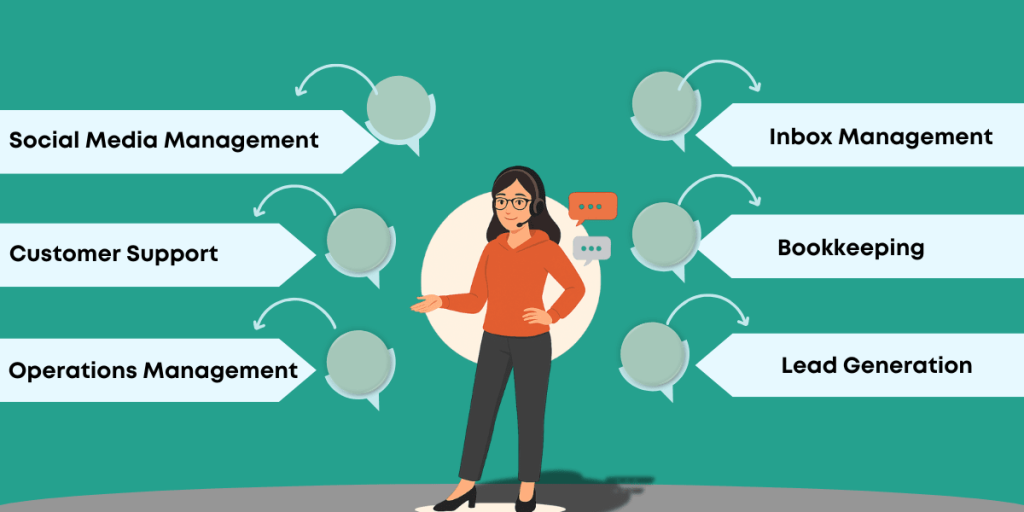
- Social Media Management
- Bookkeeping
- Customer Support
- Lead Generation
- Operations Management
✅ Ideal for businesses with clear systems in place
Tools & Communication for Virtual Scaling
Successful scaling requires more than just hiring; it needs the right tool stack for clarity, accountability, and smooth handoffs.
Here are some VA-approved platforms that make remote collaboration frictionless:
| Function | Tool Recommendations |
| Task Management | Trello, Asana, ClickUp |
| Real-Time Chat | Slack, Google Chat, Microsoft Teams |
| Documentation & SOPs | Notion, Google Docs |
| File Sharing | Google Drive, Dropbox |
| Video Recording | Loom, Zoom |
| Password Sharing | LastPass, 1Password |
Case Examples of Scaling with Virtual Assistants
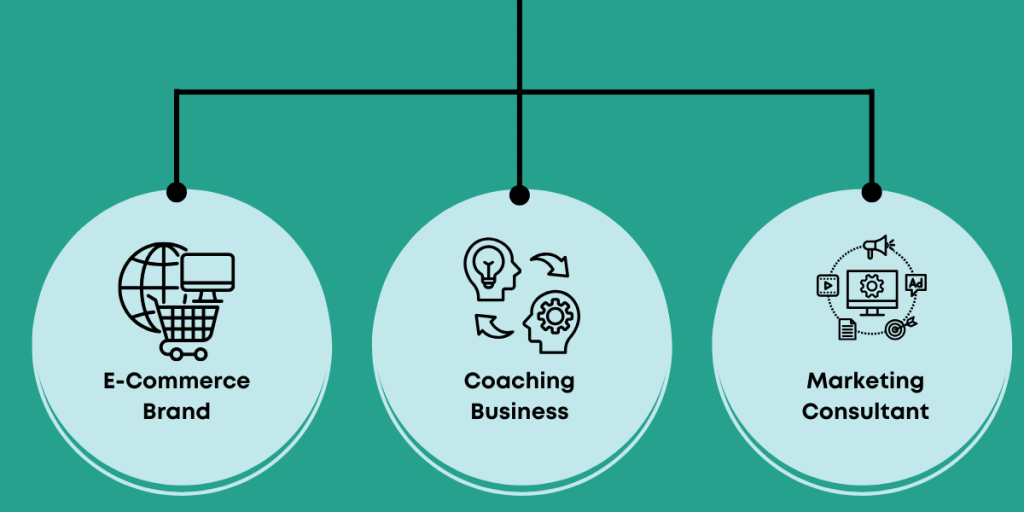
1. E-Commerce Brand
- Problem: The founder was spending 6+ hours/week on support tickets, delaying inventory planning.
- Solution: Hired an Executive Support VA for $500/month.
- Result: Founder gained 24+ hours/month, used to optimize logistics, which led to a 2X increase in monthly sales.
2. Coaching Business
- Problem: Difficulty managing content calendar + lead follow-ups.
- Solution: A Content + CRM VA managed LinkedIn posts, DMs, and CRM.
- Result: Weekly leads doubled without increasing ad spend.
3. Marketing Consultant
- Problem: Losing clients due to missed follow-ups and task delays.
- Solution: Brought in a Project Management VA to track deadlines and client communications.
- Result: Increased client retention by 40% in 3 months.
For more case studies, click here!
Cost vs ROI Breakdown for Hiring a Virtual Assistant
Hiring a VA isn’t an expense; it’s an investment. Let’s break it down:
Example Calculation:
- VA Monthly Cost: $600 (20 hrs/week)
- Tasks Delegated: Inbox mgmt, calendar, client research
- Time Saved: 60 hours/month
- Your Hourly Value: $80 (as a founder/consultant)
- Time ROI: 60 hrs × $80 = $4,800
Even if you use just half that freed-up time for strategic work,
Your return is 4X–5X the cost of hiring the VA.
Plus:
✅ No insurance or tax liabilities
✅ No equipment or workspace cost
✅ No long-term contract risk
Scaling your business doesn’t always require scaling your payroll.
It starts with smart delegation and tracking the right ROI metrics.
Reduce Founder Burnout Through Smart Delegation
Scaling your business isn’t just about numbers, it’s about sustainability.
Founder burnout is real.
When you’re wearing too many hats for too long, the cracks start to show:
Common Signs of Burnout:
- Constant decision fatigue
- Inability to disconnect or take time off
- Always working in the business, not on it
- No room left for strategy, creativity, or growth
It doesn’t have to be this way.
Use the Founder Burnout Calculator
Find out how overwhelmed you really are, and exactly how a Virtual Assistant can help you reclaim your time and energy.
How Virtual Assistants Help You Stay in Control:
✅ Free up your calendar
✅ Take over repetitive or emotionally draining tasks
✅ Give you space to breathe, think, and lead again
Your business can’t grow if you’re always exhausted.
Delegate to protect your most valuable asset, your mental energy.
Virtual Assistant Onboarding Essentials
Hiring a VA is just the beginning.
To truly scale, your onboarding process must be intentional.
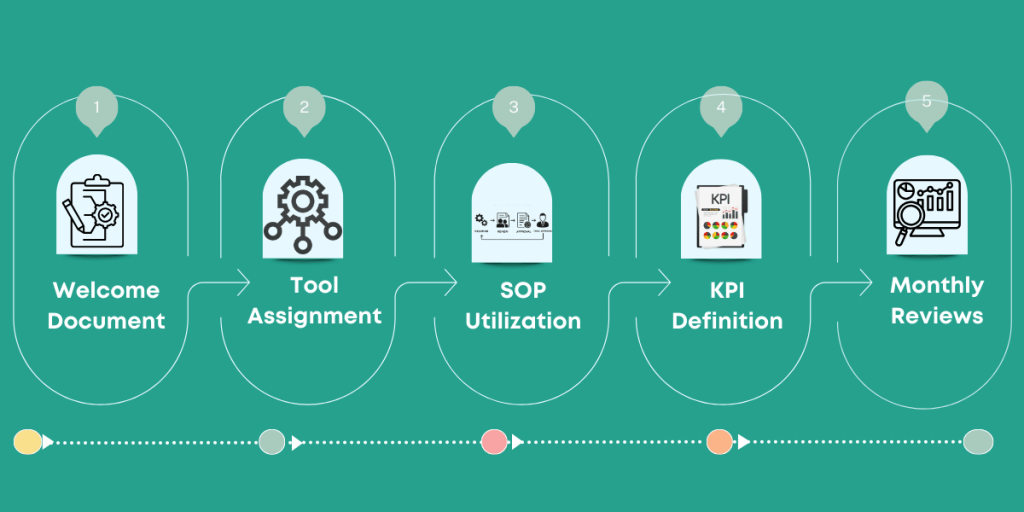
VA Onboarding Checklist:
1. Prepare a Welcome Doc
- Company intro, expectations, tools, communication style
2. Assign Access & Tools
- Google Workspace, Trello, Slack, etc.
3. Use SOPs (Standard Operating Procedures)
- Create Loom videos or written guides
4. Set Clear KPIs
- Example: Respond to emails within 4 hrs, update CRM daily
5. Weekly Check-Ins
- Use a set agenda for updates, blockers, and feedback
Scaling Virtual Assistant – When & How to Expand
Once you’ve successfully scaled with your first VA, how do you know when it’s time to bring on more?
Signs You’re Ready to Expand:
- You’re still doing high-effort, low-skill tasks
- Your current VA is at capacity
- You’ve proven ROI from your first delegation wave
- You’re entering new growth phases (e.g., product launch, expansion)
Expansion Ideas:
| Scenario | New VA Role |
| Launching a podcast | Podcast VA (booking, editing, publishing) |
| Scaling DMs & leads | Outreach VA or Lead Qualifier |
| Adding e-commerce channels | Amazon/Shopify VA |
Smart Scaling Starts with Letting Go
Scaling your business doesn’t mean doing more, it means doing less of the wrong things and more of the right ones.
VAs are not just assistants. They are growth partners, helping you:
- Reclaim time
- Remove mental clutter
- Focus on revenue-generating activities
- Build a lean, scalable backend
If you want to grow without hiring a big team or burning out,
Start by hiring your first VA, and scale smart from there.